

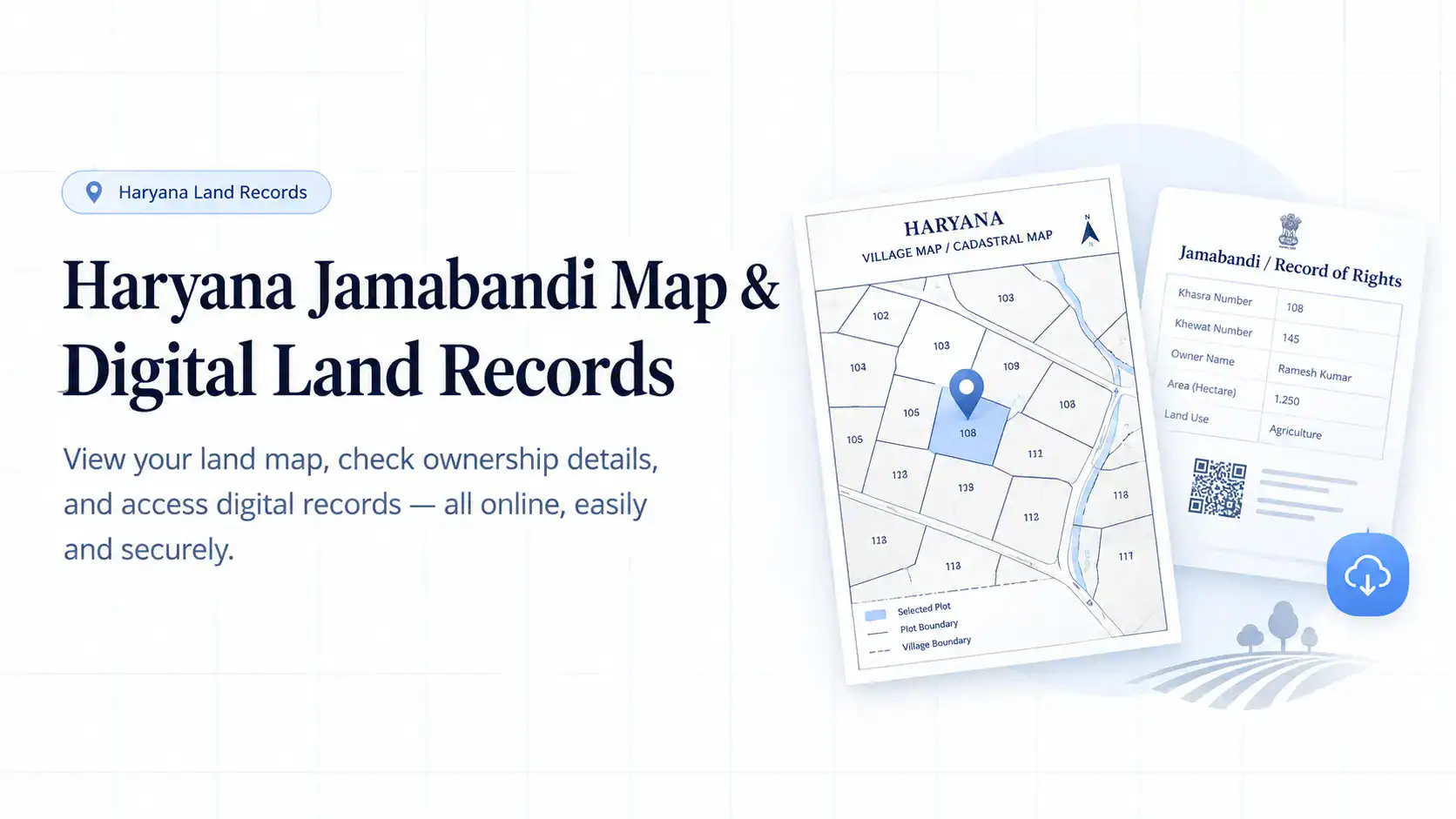
You have found a plot in Karnal or Sonipat, agreed on a price, and are ready to move forward. But without the official jamabandi map haryana, you are effectively buying blind.
Disputes over boundaries, missing survey numbers, or outdated ownership records can stall deals or worse cost you your investment.
The Haryana government has digitised the entire process, putting the digital land record haryana map at your fingertips. No more queuing at the tehsil office, no more relying on scribbled paper sketches.
This guide walks you through exactly how to pull your map, download your Nakal, and verify what you are buying before you sign anything.
What the Jamabandi Haryana Portal Actually Does
The Jamabandi portal (jamabandi.nic.in) is not just a storage locker for old documents. It is an active, web-based system that integrates textual land records with spatially accurate cadastral maps.
Launched under the Digital India initiative, it gives every citizen direct access to the Record of Rights (RoR), mutation status, and the hsac digital land record ecosystem.
The real shift is in transparency you can now cross-check what the seller tells you against what the government officially holds, from your phone or laptop.
Key Terms You Will Encounter
- Jamabandi (Record of Rights / RoR): This is the master record for a land parcel. It lists the owner’s name, cultivation details, tenancy rights, area, and any liabilities like loans or mortgages. If there is a dispute, this is the first document the court asks for.
- Bhu Naksha (Cadastral Map): The visual counterpart of the Jamabandi. This map shows exact boundaries, adjacent plots, roads, and water bodies. It is scaled and geo-referenced, meaning you can overlay it with satellite imagery for a ground-truth check.
- Khasra Number: A unique survey number assigned to each plot. Think of it as your land’s Aadhaar. Without this number, you cannot find anything on the portal.
- Khewat Number: This identifies a group of co-sharers who own land jointly. If the land is ancestral or held by multiple family members, you will need this number to pull the records.
You may also like to read these posts : 👇
Karnataka RTC Online & Bhoomi Portal – Full Guide
Gujarat Village Map & 7/12 Utara Online: Survey Number & TP Records
West Bengal Mouza Map, RS Khatian & Porcha Guide
Why the Digital Land Record Haryana Map Matters
Before digitisation, a land buyer had to rely on the patwari‘s hand-drawn maps and physical registers. Errors in measurement, faded entries, and manual overwriting were common.
The digital land record haryana map removes that uncertainty. It is linked directly to the textual Jamabandi data, so when you view a plot on the map, you see its current owner, area, and survey number simultaneously.
This integration helps you identify illegal encroachments, verify that the land area matches the sale deed, and confirm that the seller actually owns the plot they are offering.
How to Access the Jamabandi Map Haryana Online (Step-by-Step)
The official portal is designed for citizens with minimal technical background. Here is the exact sequence, along with the common mistakes that trip people up.
Step 1: Go to the right website
Open your browser and visit jamabandi.nic.in. Do not fall for third-party sites that charge money for the same service the government portal is free.
Step 2: Locate the map section
On the homepage, you will see a horizontal menu. Hover over or click on the “All Sections” tab. From the dropdown, select “View Cadastral Maps” (also labelled as “Bhu Naksha” in Hindi).
Alternatively, some users find it faster to click the “Cadastral Maps” button directly on the main dashboard.
Step 3: Select your administrative units
You will now see a three-tier selection box. Choose your District, followed by Tehsil, and then Village.
The village name is critical if you pick the wrong one, even a correct Khasra number will return no results.
Double-check that you are searching in the correct village where the land is physically located, not your residential village.
Step 4: Search by Khasra or Khewat
The portal gives you two options here:
- Search Owners by Khasra: Enter your plot’s Khasra number. This is the most direct route for individual, non-joint holdings.
- Search Owners by Khewat: Use this if your land is part of a joint ownership block. Enter the Khewat number to see all plots held by that group.
Step 5: Interpret the map
Once you hit search, the haryana village map loads. You will see numbered plots with boundary lines. Zoom in to your specific Khasra.
A common pitfall many users assume the map is up-to-the-minute. It reflects the latest published survey data, but if you have recently mutated or partitioned the land,
there might be a lag of a few weeks. If the map looks different from the physical ground, check the mutation status before proceeding.
Step 6: Download and print
On the left or top of the map viewer, you will find a download option (often a printer or download icon). Click it to save a PDF copy. This PDF serves as an informal reference.
For a legally valid, court-admissible copy, you will need to download the Jamabandi Nakal separately.
You may also like to read these posts : 👇
Maharashtra 7/12 Ferfar, Satbara & Index 2 Land Records
Odisha Land Records – Bhulekh Naksha & Plot Map Online
Tamil Nadu A-Register, Guideline Value & Survey Number Search
How to Download the Jamabandi Nakal (Certified Copy)
The map tells you where the land is. The Nakal tells you who owns it and under what conditions. Here is how to pull the Nakal.
- On the portal homepage, click the “Jamabandi” tab in the main menu.
- From the dropdown, select “Jamabandi Nakal for checking” .
- You will see four search parameters: Owner’s Name, Khewat Number, Khasra Number, or Mutation Date. For speed, use the Khasra number you just used for the map it guarantees you are pulling the record for the exact same plot.
- Enter the Khasra number and select the year. The portal typically holds records for the latest settlement year. If you are checking a transaction that happened several years ago, you may need to select the appropriate year from the dropdown.
- Click “View”. The Nakal will appear on screen. It is a multi-page document listing cultivation history, tenant rights, and any financial encumbrances.
- For a digitally signed, legally verifiable copy, look for the “Get Verifiable Copy of Nakal” button. Clicking this will send an OTP to your registered mobile number. Enter the OTP, and the portal generates a PDF with a digital signature and a unique QR code. This version is admissible in court and accepted by banks for loan applications.
Critical warning: If you are not seeing the map or Nakal for your Khasra, it might be because the records are not fully digitised for that specific village.
In that case, the portal will show a message directing you to the local tehsil office. Do not ignore this it is a red flag that you will need manual verification.
Verifying Property Transactions Using the Portal
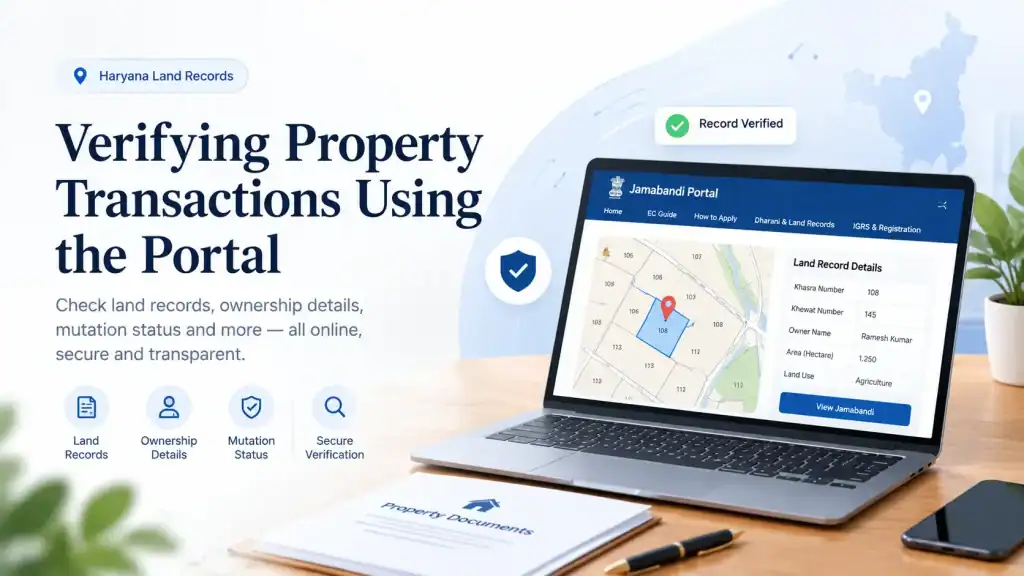
The portal is not just for viewing old records; it is a transaction-support tool. Before you pay a single rupee as advance, run the following checks.
Mutation Status Check: After a sale, the buyer applies for mutation to get their name entered in the records. The portal lets you check if mutation has been approved.
If the seller claims they have transferred the land but the mutation still shows the old owner’s name, the deal is not complete.
Do not hand over the final payment until the mutation reflects your name.
Stamp Duty Calculator: The portal includes a tool that calculates the stamp duty and registration fees based on the collector rate of your area.Many buyers underpay or overpay because they rely on outdated numbers.
Use the calculator with the exact transaction value and location to get the current estimate then verify the figure with the sub-registrar’s office, as rates change quarterly.
Deed Verification: You can view registered deeds (sale deeds, gift deeds, mortgages) online. Cross-check the deed number provided by the seller against what the portal holds.
Any discrepancy means the deed might be forged or not registered properly.
Documents You Will Typically Need
While the portal does not ask for physical documents during viewing, when you visit the sub-registrar’s office for registration or mutation, you will be asked for:
- Identity proof: Aadhaar card is the most commonly accepted, followed by Voter ID or PAN Card.
- Title documents: The previous sale deed or gift deed that shows the chain of ownership from the current seller back to the original owner.
- Property tax receipt: A recent receipt from the municipal corporation or panchayat proves that there are no pending taxes on the land.
- No-Objection Certificate (NOC): If the land is agricultural and you are converting its use, or if it falls under a controlled area, an NOC from the Director of Town and Country Planning is typically required.
- Encumbrance certificate: Though not required for map viewing, you should obtain this from the sub-registrar’s office to confirm that the land is not mortgaged or litigated.
Common Roadblocks and How to Handle Them
Even with a good digital system, things can go wrong. Here is what to do when:
- The Khasra number does not show up: Check if you are in the correct village and tehsil. If the numbers are correct but no results appear, the land records for that village might not be completely digitised. Visit the tehsildar or patwari with a written application to pull the manual record.
- The map and Nakal do not match: Sometimes, the map shows a larger area than the Nakal, or vice versa. This usually points to a pending partition or a survey error. Do not proceed with the transaction until the authorities reconcile the discrepancy. Get it in writing.
- The OTP for the verifiable copy does not arrive: The portal sends OTPs to the mobile number linked to your Aadhaar or your registered land record mobile number. If you do not receive it within a minute, check your network or request again. If it keeps failing, use the non-verifiable (but still official) PDF as a temporary reference, and obtain a certified copy from the tehsil office.
You may also like to read these posts : 👇
Telangana Prohibited Property List – How to Check Onlinet
AP Field Measurement Book (FMB) & Land Parcel Sketch
Frequently Asked Questions
1. What exactly does “Jamabandi” mean in land records?
Jamabandi is the Record of Rights (RoR) for a property in Haryana.
It is a legally certified document maintained by the Revenue Department that lists the owner, cultivator, area, and all rights and liabilities attached to a specific plot.
2. How can I see the digital map for my village in Haryana?
Visit the official Jamabandi portal (jamabandi.nic.in), go to “View Cadastral Maps” under All Sections,
and select your District, Tehsil, and Village. You can then search by Khasra or Khewat number to display the haryana village map .
3. Is the online Jamabandi Nakal valid for bank loans or court cases?
Yes, but only the “verifiable copy” that is digitally signed and has a QR code is legally valid for loan applications and court proceedings.
The plain viewable version is informational only. Always generate the verifiable copy by authenticating with your mobile OTP.
4. What is the difference between Khasra and Khewat number?
A Khasra number identifies a specific, individual land survey number. A Khewat number identifies a block of joint owners (co-sharers).
If you own a plot individually, search by Khasra. If you own land jointly with family, use the Khewat number to see all plots held by the group.
5. What should I do if the online map shows a different boundary from the actual land?
Do not ignore it. This discrepancy often indicates a survey error, a pending mutation, or encroachment.
Visit your local patwari or tehsildar with your Khasra number and request a physical measurement.
Get a written correction order before proceeding with any property transaction.
6. Can I check the stamp duty for my property registration online?
Yes. The Jamabandi portal has a built-in stamp duty calculator. Select your district, the property type, and the transaction value,
and the portal provides an estimate based on the current collector rate. Always double-check the final figure with the sub-registrar’s office before buying the stamp papers.
Final insight: The portal gives you all the raw data you need, but it does not interpret it for you. If you see a “Stay” or “Litigation” remark against your Khasra, that is an immediate deal-breaker. Do not buy land under litigation.
If you find a discrepancy between the map and the Nakal, treat it as a stop sign get the authorities to correct it before you pay.
The real value of the jamabandi map haryana lies not in convenience alone, but in the power it gives you to ask the right questions before it is too late.
Always, always cross-verify the digital record with a visit to the local revenue office if the transaction involves a significant sum.

10 Comments
Pingback: Karnataka RTC Online & Bhoomi Portal | Easy Guide
Pingback: Gujarat Village Map & 7/12 Utara Online | Easy Guide
Pingback: Telangana Prohibited Property List | Check Online
Pingback: West Bengal Mouza Map, RS Khatian & Porcha Guide | Easy
Pingback: Tamil Nadu A-Register & Guideline Value | Survey Search
Pingback: AP FMB & Land Parcel Sketch | Complete Guide
Pingback: Maharashtra 7/12 Ferfar, Satbara & Index 2 | Guide
Pingback: Odisha Land Records | Bhulekh Naksha & Plot Map Online
Pingback: Pattadar Passbook Telangana | Download & Status
Pingback: Telangana Market Value of Land | Buyer Guide