


Your mutation application was rejected. The seller’s survey number doesn’t match what’s on the portal. Or you’ve simply been staring at the old Dharani login, wondering why nothing loads anymore.
If any of this sounds familiar, the Bhu Bharathi portal is where the answer lies but only if you know how to use it. This guide covers what the portal does, how to log in, how to pull your Pahani, and what to do when a record looks wrong.
What Is the Bhu Bharathi Portal?
Bhu Bharathi is Telangana’s official platform for agricultural land records, registrations, and revenue services. It was introduced under the Telangana Bhu Bharati (Record of Rights in Land) Act, 2025, which came into force in April 2025, replacing Dharani entirely.
The most consequential change is the restoration of administrative dispute resolution. Under Dharani, revenue officials like the Tahsildar and Revenue Divisional Officer (RDO) had lost much of their power to hear land record disputes landowners
were pushed toward civil courts for problems that should have been fixed at the mandal office. Bhu Bharathi gives that authority back. The portal itself is operated by the National Informatics Centre (NIC).
Key Services Available on Bhu Bharathi
Instead of the dozens of scattered services under the old system, the portal organises everything into six modules:
- Information Services: View Pahani (Adangal), check prohibited lands, and search land status no login needed.
- Registration Services: Book slots and register sale, gift, mortgage, or lease deeds for agricultural land.
- Mutation Services: Update ownership records after inheritance, partition, or purchase.
- RoR Correction: Fix errors in the Record of Rights spelling mistakes, wrong extents, missing names.
- NALA Conversion: Convert agricultural land to non-agricultural use.
- Appeals: File and track appeals against land-related orders.
You may also like to read these posts :👇
Adangal / 1B – What It Is & How to Get It
Dharani Portal Telangana: Is It Closed?
Bhu Bharathi Land Details Search:
Bhu Bharathi Survey Number Map: View Telangana Village Maps Online
How to Register and Login on Bhu Bharathi Telangana
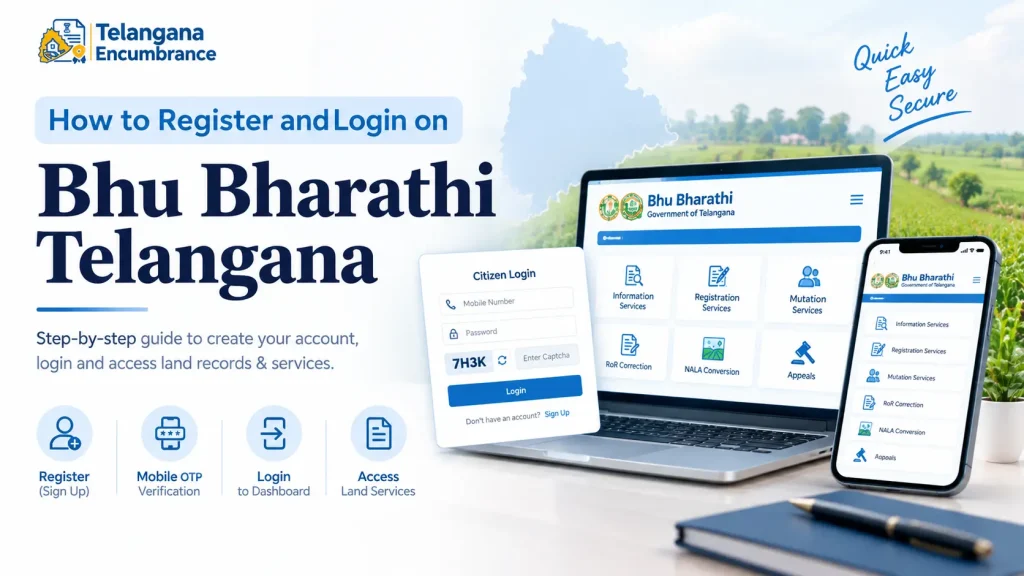
Login is mobile-based, OTP-verified, and takes about two minutes if your number is active.
- Open bhubharati.telangana.gov.in in your browser.
- Under Transactional Services, click Login.
- Select Sign Up to create a new account.
- Enter your name and mobile number, then click Get OTP.
- Enter the OTP, complete the captcha, and click Validate & Register.
- Log in with your mobile number and password. You’ll need to clear the captcha and validate a fresh OTP.
- You land on the Citizen Dashboard, which is your entry point to every service.
Two things trip people up here. First, the OTP is typically valid for around 15 minutes if you’re slow, request a new one rather than reusing the old code. Second, use the mobile number linked to your Aadhaar wherever possible; it reduces mismatch problems later during mutation or registration.
How to Search Land Records and Download Pahani
Pahani (also called Adangal) is the annual revenue record showing ownership, land extent, crop details, and water sources. You can view it without logging in. Certified copies usually come through MeeSeva for a fee.
- Go to the portal and open Information Services.
- Click Land Record Details or Land Details Search.
- Choose your search method Survey Number or Pattadar Passbook Number.
- Select District, Mandal, and Village from the dropdowns.
- Enter the survey number with its sub-division (for example, 124/A) or your passbook number.
- Complete the captcha and click Fetch Details.
- The result shows the owner’s name, extent, land nature, and mutation status. Download or print the extract.
Here’s where buyers get burned: a seller hands over a survey number, you search it, and the record looks fine but it’s a different parcel. Sub-divisions matter. Search 45/A, not 45. And if the extent shown doesn’t match what the seller quoted, stop and ask why before any money changes hands.
Understanding Bhudhaar: The New Unique Land ID
Bhu Bharathi introduces Bhudhaar (also written Bhu Aadhaar), a 14-digit unique ID for every land parcel, modelled loosely on Aadhaar. Once fully rolled out, entering a Bhudhaar number will surface the survey number, boundaries, and ownership details of that specific parcel in one shot.
The intent is to reduce boundary disputes and make records harder to tamper with. The first Bhudhaar card was issued in April 2026 to a farmer in Khammam district as part of a pilot. You don’t need to apply separately it’s being linked to land records as the rollout expands.
Mutation, Appeals, and Dispute Resolution
Mutation is how the revenue record gets updated when ownership changes via sale, inheritance, partition, or court order. Bhu Bharathi tightened this process specifically to protect legal heirs.
For inheritance mutations, a single heir can file the application, but the Tahsildar must issue notices to all legal heirs and consider their responses before passing an order. Under Dharani, land could be mutated in one heir’s name without the others ever being heard. That loophole is now closed.
If your application is rejected, you have a path: approach the RDO if you’re dissatisfied with the Tahsildar’s decision, and further appeals can go to higher revenue authorities.
The Act also provides for revenue tribunals for more formal disputes. Don’t skip the internal appeal route and jump straight to court it’s slower and costlier.
Common Mistakes to Avoid
- Name mismatch with Aadhaar: A missing initial or a spelling variation between your Aadhaar and the land record is enough to get a registration or mutation rejected. Check both documents side by side before applying.
- Ignoring the subdivision suffix: Searching 45 instead of 45/A can show you a joint record or an entirely different parcel.
- Skipping the cultivator column: In Pahani, the Pattadar is the legal owner, but the cultivator column shows who’s actually tilling. A different name there may signal an undeclared tenant or a dormant claim.
- Assuming records update automatically after registration: Sale-based mutations are increasingly integrated with registration, but inheritance and partition mutations still need a separate application.
- Paying third-party sites for basic searches: Land record viewing on the official portal is free. Don’t pay for what the government already gives you.
You may also like to read these posts :👇
West Bengal Mouza Map, RS Khatian & Porcha Guide
Maharashtra 7/12 Ferfar, Satbara & Index 2 Land Records
Pattadar Passbook Telangana: Download, Status & How to Apply Online
Pahani Telangana Online: How to Download Pahani via Bhu Bharathi
Frequently Asked Questions
Is the Dharani portal still working?
No. Dharani has been replaced. Agricultural land records and registrations in Telangana now run through bhubharati.telangana.gov.in.
Do I need to log in to view my Pahani?
No. Pahani viewing falls under Information Services and is accessible without login. Login is only needed for transactional services like mutation applications or slot booking.
What’s the difference between Pahani and Pattadar Passbook?
Pahani is the annual crop and cultivation record for a survey number. The Pattadar Passbook is the ownership document issued to the landholder. Both are on the portal, but they verify different things.
Can I correct my name or land extent on Bhu Bharathi?
Yes, through the RoR Correction module. You’ll typically need your Aadhaar, old passbook, and the relevant registered deed uploaded as supporting documents. The Tahsildar or another revenue official processes the request.
What is Bhudhaar and do I need to apply for it?
Bhudhaar is the new unique land parcel ID. It’s being assigned through government survey and pilot projects no separate application from landowners at this stage.
Are there fees for using Bhu Bharathi?
Viewing records is generally free. Certified copies, mutations, and registrations may carry fees. Since rates change, check the portal or your local MeeSeva centre for current amounts rather than trusting older figures.
One last thing worth knowing: portal records reflect what revenue officials have entered, not necessarily ground reality. If you’re buying land, a clean Pahani is a starting point, not a clearance certificate.
Visit the plot, talk to neighbouring landowners, and confirm boundaries on the ground before you commit. If a record looks wrong, file the correction or appeal early delays only make disputes harder to unwind.

6 Comments
Pingback: Dharani Portal Telangana | Closed or Replaced?
Pingback: Bhu Bharathi Land Details Search | Easy Guide
Pingback: Bhu Bharathi Survey Number Map | View Village Maps
Pingback: Pattadar Passbook Telangana | Download & Status
Pingback: Pahani Telangana Online | Download via Bhu Bharathi
Pingback: How to Check Plot Details Online | Fast Guide