

You have found the perfect property in Hyderabad or elsewhere in Telangana. The price is right, the location works, and you are ready to sign the deal.
But then the bank asks for an Encumbrance Certificate, and you realize you have no idea how to get one or what it even contains.
That is where the telangana ec search becomes essential. This single document can make or break your property transaction.
In this guide, we will walk you through how to search EC online in Telangana using the Dharani portal, step by step.
You will learn what information you need beforehand, where to find it, and how to spot warning signs in the certificate itself.
What Exactly Is an Encumbrance Certificate?
An Encumbrance Certificate is a government-issued record that lists every registered transaction involving a specific property over a defined period. You can think of it as the property’s financial track record.
The certificate shows transactions like:
- Sale deeds and gift deeds
- Mortgage agreements (when the property is pledged for a loan)
- Lease agreements exceeding one year
- Court orders attaching the property
- Inheritance or succession registrations
- Release deeds
When you perform an ec check telangana, you are essentially asking the government: “Has anyone else claimed this property in the last 12 years, and are there any outstanding loans against it?”
The standard period for a property EC is 12 years, though you can request a shorter or longer duration depending on your needs.
Why the Telangana EC Search Matters for Your Property Deal
A telangana ec search online is not a bureaucratic hurdle to clear before registration. It is your primary defence against legal and financial trouble after the purchase.
Here is what a proper EC search protects you from:
- Sellers who do not have clear ownership: The EC reveals if the person selling to you actually holds the title.
- Hidden loans on the property: If the seller took a loan using the property as collateral, that mortgage will appear in the EC.
- Disputes you do not know about: Court orders, attachment notices, or inheritance claims will surface in the search.
- Registration delays: The sub-registrar’s office typically requires a recent EC to register a new sale deed. Without it, your transaction can stall.
A thorough encumbrance certificate telangana search is also a prerequisite for most home loans.
Banks and housing finance companies rarely approve a loan without seeing a clear EC.
Skipping this step or relying on an outdated copy from the seller can lead to years of litigation, financial loss, or even losing the property entirely.
This is why performing your own ec search telangana before signing any agreement is non-negotiable.
You may also like to read these posts : 👇
How to Download Encumbrance Certificate Telangana
How to Check Encumbrance Certificate Status Online
Telangana Property Tax Receipt & PTIN Search Online
Step-by-Step Process for Telangana EC Search Online
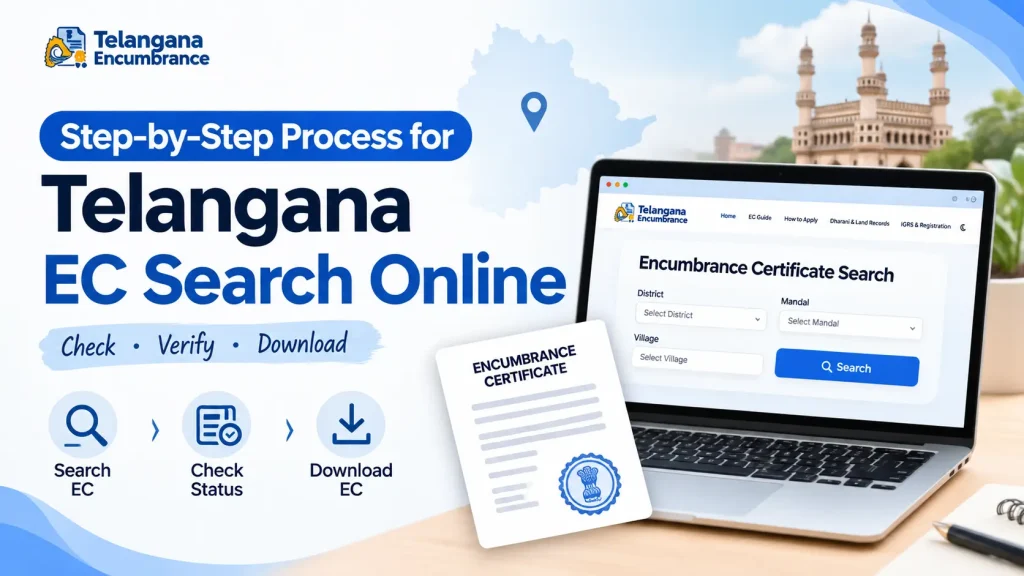
The Telangana government has consolidated land records into the Dharani portal, which handles registration, encumbrance searches, and property record updates.
This platform has largely replaced older systems like Meebhoomi for EC searches.
Follow these steps for an online ec search telangana:
Step 1: Access the Dharani Portal
Open your browser and navigate to the official Dharani website. There is no separate mobile application for EC searches, so use a desktop or mobile browser.
Be cautious of third-party websites that charge extra fees — the official portal is the only reliable source.
Step 2: Locate the EC Search Section
On the homepage, look for a menu option labelled “Online Services” or “View EC.” The exact label may change over time as the portal undergoes updates.
If you cannot find it, use the site’s search function with keywords like “encumbrance” or “EC.”
This section is where you initiate the telangana registration ec search.
Step 3: Select Your Search Parameter
Dharani offers multiple ways to search for property records. Choose the one that best fits the information you have:
| Search Method | Best Used When |
|---|---|
| Document Number | You have the registration number from a previous sale deed or mortgage document. This is the most precise method for a ec search by document number telangana. |
| Survey Number | You are searching for agricultural land or an open plot. The telangana ec search with survey number is widely used for rural and semi-urban properties. |
| Patta Number | You have the land ownership record number (patta) from the revenue department. |
| Property Address or Door Number | You are searching for a house, flat, or commercial building with a clear municipal number. |
| Owner’s Name | This is the broadest search. It works best for unique names, but common names can return too many results to be useful. |
If you have the document number, use that method — it is the fastest and most accurate.
Step 4: Enter District, Mandal, and Village Details
Once you select your search method, the system will ask for location details. You must select the correct:
- District (e.g., Hyderabad, Ranga Reddy, Medchal-Malkajgiri)
- Mandal (the sub-district administrative unit)
- Village or Municipality
This is where many users make mistakes. Telangana has multiple villages with identical or similar names, especially after the 2016 district reorganisation.
Take an extra minute to confirm the village name with the seller or your property documents.
A wrong selection here can lead to viewing records for an entirely different property, which defeats the purpose of your ec search online in telangana.
Step 5: Enter Your Specific Search Value
Enter the document number, survey number, or other identifier you chose in Step 3.
Double-check every digit. Omitting a leading zero or mistyping a number will return no results or show the wrong property.
For survey numbers, note whether the property has a subdivision like “part” or a new survey number assigned after land consolidation.
These details matter for a correct survey number search telangana.
Step 6: Set the Date Range
You will need to select a “from” and “to” date for the EC. For most property transactions, a 12-year period is standard.
This is typically the minimum period required by banks and the sub-registrar’s office.
If you are checking a property that changed hands recently, you may need a shorter range. Conversely, if you are verifying ancestral property,
you might want to go back further. The portal allows custom ranges, so choose what fits your situation.
Step 7: Submit and Review the Results
Click the search or submit button. The system will process your request and display a list of registered transactions within your selected period.
Each entry typically includes:
- Transaction date
- Document number and type (sale, mortgage, gift, etc.)
- Names of the parties involved
- Consideration amount (if applicable)
This list is your Encumbrance Certificate. Review it carefully for any entries you do not expect.
Step 8: Download and Save the EC
You will find an option to download the certificate as a PDF. This file contains a digitally signed version of the EC. Save it to your device and keep a backup copy.
While the digital EC is legally valid for most purposes, some banks or government offices may request a physical copy stamped by the sub-registrar.
Check with your specific institution before assuming the digital version is sufficient.
Documents and Information to Keep Handy
Before you start your ec search telangana online, gather these pieces of information.
Having them ready will save you from repeatedly entering data:
- Last registered document number: This is the registration number from the most recent transaction involving the property, usually a sale deed or mortgage document.
- District, mandal, and village name: Ensure these match the official records, not just the colloquial name.
- Survey number or property number: For land, this is the survey number. For built properties, this could be the municipal door number or flat number.
- Owner’s full name: As it appears in the last registered document.
- Patta number: If you have the land revenue record, this number can be a useful backup.
You generally do not need to upload any documents during the online search itself.The portal only requires the information listed above.
However, keeping your Aadhaar card or PAN card nearby is useful for any identity verification that may be required during the download process.
Common Pitfalls in the Telangana EC Search Process
Even with a clear process, people make recurring mistakes. Here is what to watch out for:
1. Selecting the Wrong Village or Mandal
After the formation of new districts in Telangana, many villages were reassigned to different mandals.
The seller might refer to a village by its old mandal, but the Dharani portal uses the current administrative structure.
Verify the official mandal and village name through the revenue department or your property documents before searching.
2. Stopping at a “Nil” EC Without Investigation
A “Nil” Encumbrance Certificate simply means no transactions were registered during the requested period. This is generally good news — but not always.
It could also mean the property was never properly registered in the first place, or that the transaction happened outside the Dharani system.
If you get a Nil EC for a property that has been sold or mortgaged before, treat it as a warning sign and investigate further.
3. Entering the Wrong Date Range
Some people select a 5-year or 10-year period to save time or money. But banks and the sub-registrar’s office typically require a minimum of 12 years.
If you generate a shorter EC, you may need to repeat the search, paying the fee again. Always check the required period with your bank or advocate before finalising the search.
4. Accepting the Seller’s EC Without Verifying
Never rely on an EC provided by the seller. It might be outdated, incomplete, or even fabricated. Always conduct your own ec check telangana using the Dharani portal.
This ensures you have the latest information directly from the government source.
Understanding Your Encumbrance Certificate
Once you have the EC in hand, knowing how to read it is just as important as knowing how to get it.
Key Sections to Review
The certificate is structured into clear sections:
- Header: Shows the property location, the period covered, and the date of issue.
- Transaction Table: Lists each registered transaction with the date, document number, parties involved, and nature of the transaction.
- Signature and Seal: The digital signature of the registering authority, which validates the certificate.
Red Flags to Watch For
- Mismatched owner names: The seller’s name should appear as a party in the most recent transaction. If it does not, the seller may not hold clear title.
- Outstanding mortgages: Any mortgage entry that has not been satisfied (released) means the property is still collateral for a loan. The lender can claim the property even after you buy it.
- Court attachments: If a court has attached the property, you cannot legally buy it until the attachment is lifted.
- Gaps in the record: If there is a sudden gap of several years with no transactions, it may indicate that the property was transferred informally (without registration), which creates title risks.
If you spot any of these, do not proceed with the transaction. Consult a property lawyer or visit the local sub-registrar’s office to clarify the situation before signing anything.
You may also like to read these posts : 👇
EC Search Process – Other States
How to Apply for Encumbrance Certificate Online
Frequently Asked Questions (FAQs)
1. How quickly can I get an EC online in Telangana?
The EC is generated instantly on the Dharani portal after you submit your search. If you request a physical copy from the sub-registrar’s office, it may take 2 to 3 working days.
The online route is significantly faster and more convenient for an encumbrance certificate search.
2. Can I search for an EC using just the survey number?
Yes. The telangana ec search with survey number is one of the most common and reliable methods, especially for agricultural plots and open land.
Just make sure you have the correct district and village details to avoid viewing the wrong property.
3. What does a “Nil” EC actually mean?
A “Nil” EC means there were no registered transactions involving that property during the period you selected.
This can mean the property is free of encumbrances, but it can also indicate that past transactions were not properly registered.
Always cross-check with the seller and the sub-registrar’s office if you have any doubts.
4. Is the online EC valid for a home loan application?
Most banks and financial institutions accept the digitally signed EC from Dharani. However, some lenders may request a physical copy attested by the sub-registrar.
Check with your bank’s loan officer before your appointment to avoid last-minute surprises.
5. What if my EC search shows incomplete or wrong information?
First, recheck all the details you entered — district, mandal, village, and document or survey number.
One small error can pull up the wrong records. If you are certain the details are correct but the information seems wrong,
visitthe sub-registrar’s office with your property documents to request a manual verification.
6. Do I need to pay for the EC search online?
Yes, there is typically a nominal fee for generating the EC online. The exact amount is subject to change, so check the Dharani portal for current rates.
Avoid paying more than the official fee to third-party websites that claim to offer EC search services.
A Final Word on Timing and Verification
Generating an EC is straightforward, but timing matters. If you are in the middle of a property purchase, wait until the day you are ready to register before generating the EC.
An EC from six months ago may not include recent transactions — a seller could have taken a loan against the property in the meantime.
Always generate a fresh EC as close as possible to the registration date.
If something goes wrong during your search — the portal is down, your results are incomplete, or the certificate shows unexpected entries — do not panic.
Visit the sub-registrar’s office in person.They can pull up the manual records and clarify what you see online. That extra trip can save you from a costly mistake.

6 Comments
Pingback: How to Download Encumbrance Certificate Telangana | Fast Online Guide
Pingback: How to Check Encumbrance Certificate Status Online | Fast Guide
Pingback: EC Search Process - Other States | Easy Online Guide
Pingback: How to Apply for EC Online: Easy Guide
Pingback: Telangana Property Tax & PTIN | Find PTIN Fast
Pingback: Gift Deed Registration Charges in Telangana | Fees & Process