

You have found the perfect property. The location works, the price is within your budget, and the seller seems genuine.
Then your bank asks for an Encumbrance Certificate, and you realise you have no idea where to start.
Maybe you have already tried searching online and ended up on the wrong portal or received a
“no records found” message that left you more confused than before.
This is exactly the problem this guide solves. Whether you need an EC search AP for a plot in Visakhapatnam, want to view EC online in Tamil Nadu English for a house in Chennai,
or need records from Kerala or Karnataka, the process does not have to be a headache. We break down exactly how each state’s system works,
where people get stuck, and how to get your certificate without multiple trips to government offices.
What an Encumbrance Certificate Really Tells You
An Encumbrance Certificate is a record of every registered transaction involving a specific property over a chosen period.
When you run an EC search AP or any other state, the certificate will show:
- Sale deeds and gift deeds
- Mortgage and loan agreements registered against the property
- Lease agreements exceeding 12 months
- Court orders or attachment decrees
- Release deeds and partition deeds
Think of it as the property’s financial and legal history. If someone has taken a loan using this property as collateral,
the EC will show it. If there is a pending legal dispute affecting ownership, the EC will reflect that too.
This document is not optional when you are buying property with financing. Banks treat it as mandatory because it protects their interest.
For you as a buyer, skipping this check could mean taking on someone else’s debt or legal battle. A few minutes of online verification can save you years of litigation.
You may also like to read these posts : 👇
How to Download Encumbrance Certificate Telangana
How to Check Encumbrance Certificate Status Online
How to Search EC Online in Telangana (Step-by-Step)
How to Perform an EC Search in Andhra Pradesh
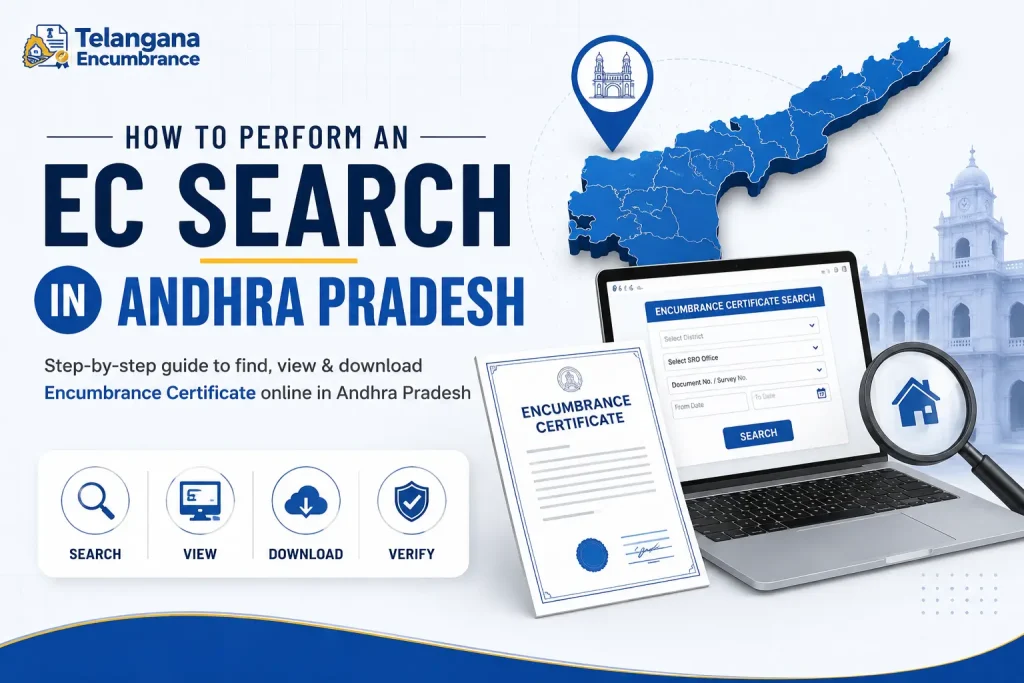
Andhra Pradesh operates its land records system through the Meeseva platform alongside the Registration and Stamps Department portal. If you are running an EC search AP, here is what you need to know.
Step-by-Step Process for Andhra Pradesh EC Search
- Open the Meeseva portal or the Andhra Pradesh Registration and Stamps Department website. The Registration Department site is typically faster for direct EC searches, while Meeseva offers additional services like certified document copies.
- Locate the “Encumbrance Certificate” service – on Meeseva, this is usually under the “Revenue” or “Registration” category. On the Registration portal, look for “EC Search” or “View Encumbrance.”
- Select your district and sub-registrar office – this is where many users make their first mistake. The sub-registrar office is determined by the property’s location, not where you currently live. Choose the office that has jurisdiction over the area where the property is situated.
- Enter the document number and date – you will typically need the registered document number from the last sale deed or transaction. If you do not have this, you can search using the property’s survey number or the seller’s name. However, document number searches are more reliable.
- Choose your date range – most buyers search for a 15-year period. Banks frequently require 20 to 30 years. If you select a shorter range, you might miss an older encumbrance.
- Complete the payment – the fee is generally modest, but check the portal for the exact amount. Payment options usually include net banking, debit card, and UPI.
- Download your EC – once processed, the system will generate a PDF certificate. Some portals also let you track the application status if the certificate is not generated instantly.
A warning from experience: The document number format varies across districts. Some use a slash (e.g., 123/2024), while others use a hyphen.
If your search returns nothing, check the format used in that specific sub-registrar office.
EC Search in Tamil Nadu: IGRS and TNREGINET
Tamil Nadu offers two primary portals for property records. The TNREGINET platform is more user-friendly for most searches, while the IGRS Tamil Nadu website is the official registration department portal. If you want to view EC online in Tamil Nadu English, both portals support English along with Tamil.
How to Check EC Online in Tamil Nadu
- Visit the TNREGINET website – the homepage clearly lists “Encumbrance Certificate” as a prominent service.
- Select your district and sub-registrar office – Tamil Nadu has 32 districts, each with multiple sub-registrar jurisdictions. Choose carefully.
- Enter the search criteria – you have several options:
- Document number – the most straightforward method
- Survey number – useful if you do not have the document number
- Town survey number – for urban properties
- Property address – less precise but works in some cases
- Specify the date range – select a “from” and “to” date. The system can process searches going back several decades, though older records may not be digitised.
- Complete the captcha and click submit.
- Review the results – the system displays all registered transactions within your selected period. You can then view EC online in Tamil Nadu English by clicking the download link.
What Can Go Wrong in Tamil Nadu
The most common problem is selecting the wrong sub-registrar office.
If the property is in a village that falls under one office but you select a neighbouring jurisdiction,
you will get zero results. Always verify the correct office before starting.
Another issue: the document number format. Tamil Nadu typically uses a number/year format (e.g., 456/2023).
If you enter the number incorrectly, the search will fail. Double-check the document you are using as your reference.
For properties registered before the computerisation drive in the late 1990s, the online system may not have complete records.
In such cases, you can still use the online search for post-digitisation transactions but may need to visit the sub-registrar office for older records.
EC Search in Karnataka
Karnataka’s Kaveri Online Services portal handles encumbrance certificates and registered document searches. The state also has the Bhoomi platform,
but Bhoomi primarily deals with land ownership records (patta and survey details) rather than encumbrance.
How to Check Encumbrance in Karnataka
- Go to the Kaveri Online Services portal.
- Select “Encumbrance Certificate” from the available services.
- Choose the district and sub-registrar office – Karnataka has over 200 sub-registrar offices, so be specific.
- Enter search details – you can use the document number, survey number, or property details. The document number is the most reliable option.
- Select your date range – like other states, a 15-year search is common, but go for 20–30 years if you want to be thorough.
- Pay the fee online – the portal accepts various payment methods.
- Download the certificate – the system generates a digitally signed EC that is valid for official purposes.
Karnataka Specifics
The Kaveri portal also allows you to view registered documents online, which is useful if you need to verify the sale deed itself.
However, older documents may not be available in digitised form. If your property was registered before 2000, you may need to visit the sub-registrar office.
One practical tip: if you are searching in Bengaluru, note that the city has multiple sub-registrar offices based on zones. Selecting the correct zone is critical.
EC Search in Kerala
Kerala’s e-Registration system is the gateway for encumbrance searches. While Kerala’s digitisation is not as comprehensive as Tamil Nadu’s,
the online system covers most properties registered in the last two decades.
Steps for Kerala Encumbrance Search
- Access the Kerala Registration Department’s e-Registration portal.
- Click on the “Encumbrance Certificate” option.
- Select the sub-registrar office – in Kerala, these are called “thaluk” offices. Choose the one where the property is registered.
- Enter document details – you will need the document number and year. Some searches may also require the book number and volume number for older records.
- Set the date range – the system typically allows searches up to 30 years back.
- Complete the payment – the fee is nominal but varies based on the number of years searched.
- Download the certificate – once processed, you will receive a PDF version.
Kerala Specifics
One challenge in Kerala is that the document numbering system can be inconsistent across different thaluk offices.
If your search does not return results, verify the document number format with the specific office.
Also, for properties registered before 2000, you may need to apply physically at the sub-registrar office.
Documents and Details to Gather Before You Start
Before you attempt an EC search AP or any other state search, collect these specific details. Having them ready will prevent the frustration of starting over multiple times.
- The registered document number and year – this is the most critical piece. If you are a buyer, ask the seller for the last registered sale deed number. If you are checking your own property, locate your sale deed.
- The exact sub-registrar office name – not just the district, but the specific office. For example, in Chennai, you might need “Chennai South” vs “Chennai Central.”
- Survey number or town survey number – this helps if the document number search fails. You can find this on the property’s tax receipt or the sale deed.
- The seller’s full name – some portals allow name-based searches. Have this as a backup.
- Your Aadhaar or PAN card – you may need this for authentication at the time of payment or download.
One practical step: if you are buying property, ask the seller to provide the document number from their side.
Many buyers make the mistake of trying to search without this number and end up with incomplete records.
Mistakes That Delay Your EC Search
Picking the wrong date range
A 5-year search is rarely sufficient. Financial institutions typically ask for at least 15 years. If you are buying property that has changed hands multiple times,
a 20- or 30-year search gives you a complete picture. Going too short can miss an older mortgage or legal claim that resurfaces later.
Choosing the wrong sub-registrar office
This is the single most common reason for failed searches. The property’s location determines the office, not your current address.
If the property is in a village that falls under a specific taluk office, selecting any other office will return nothing. Verify this with the seller or check your property tax receipt.
Mistyping document or survey numbers
A digit off in the document number means zero results. Double-check every number. If you are copying from a scanned document, ensure OCR errors have not changed characters like “O” and “0” or “I” and “1”.
Assuming online records cover everything
Even in states with advanced digitisation, records from before computerisation may not be available online. In Andhra Pradesh, for instance,
most records from 1988 onward are digitised, but older ones may not be. If your online search fails, visit the sub-registrar office.
Not checking the fee before starting
Fees differ by state and by the number of years you search. Some portals have separate charges for viewing and downloading. Check the fee structure on the portal so you are not surprised during the payment step.
You may also like to read these posts : 👇
How to Apply for Encumbrance Certificate Online
Telangana Property Tax Receipt & PTIN Search Online
Frequently Asked Questions
Can I search for an EC without the document number?
Yes, many state portals allow searches using the survey number, town survey number, or property address. However, document number searches are more precise and faster.
If you use alternative methods, you may need to sift through multiple results to find the right property.
How far back can I search for encumbrance records?
Most online portals allow searches up to 30 years. However, the actual availability of older records depends on digitisation.
Tamil Nadu and Andhra Pradesh have good coverage from the 1980s onwards.
Karnataka and Kerala cover records from around 2000 onwards more reliably.
Is there a difference between online EC and certified EC?
Yes. The online EC you download is an extract from the digital database. It is acceptable for most purposes, including bank applications.
However, some offices may ask for a certified copy, which bears the sub-registrar’s official seal. You can obtain the certified
copy by visiting the office with the downloaded EC or by applying through the portal if the state offers that service.
How long does it take to get the EC online?
In most cases, the EC is generated instantly or within a few minutes after payment. However, during peak hours or when server traffic is high, the system may take longer.
If you do not receive it within an hour, check the portal’s application status feature rather than starting a fresh search.
Can I run an EC search for someone else’s property?
You can search for any property as long as you have the correct details. There is no restriction on searching for another person’s property.
However, you will need the document number or survey number to perform the search.
What if my property is not registered at all?
Unregistered properties will not appear in any EC search. If your property is an ancestral one or was acquired before registration was mandatory in your area,
you may need to consult the land records (like patta or ownership records) rather than the EC. In such cases, the sub-registrar office may not have any records.
Getting Stuck? Here Is Your Next Step
Online systems fail sometimes. If your EC search AP or search in any other state returns nothing, do not panic. Double-check your inputs first.
If everything seems correct but you still get zero results, visit the sub-registrar office with your property documents.
The staff there can manually search older records that may not be fully digitised.
Also, consider the time of day. Government portals are busiest during working hours, typically 10 AM to 2 PM.
Trying the search early morning or late evening often results in faster processing.
And always log out after your search session, especially if you are using a public or shared computer.
Finally, if you are unsure about any step, the local sub-registrar office has help desks.
A brief visit can clarify whether your property is even in the online system or if you need to follow a different procedure.
Taking that extra step is far better than proceeding with an incomplete property check.

5 Comments
Pingback: How to Download Encumbrance Certificate Telangana | Fast Online Guide
Pingback: How to Check Encumbrance Certificate Status Online | Fast Guide
Pingback: How to Search EC Online in Telangana | Step-by-Step Guide
Pingback: How to Apply for EC Online: Easy Guide
Pingback: Telangana Property Tax & PTIN | Find PTIN Fast