


Your land record application is stuck, the sub-registrar’s office is closing in an hour, and the portal keeps throwing an error you don’t understand. This is the reality for thousands of Telangana landowners navigating the shift from the old Dharani system to Bhu Bharathi, the state’s new land records platform.
The login screen is the first barrier and often the most frustrating. This guide covers citizen registration, password recovery, and the specific errors that block access, with practical fixes you can try immediately.
Bhu Bharathi vs. Dharani: What Changed and Why It Matters
Dharani handled Telangana’s land records for years, but complaints piled up: ownership errors that couldn’t be corrected, disputed mutations stuck in limbo, and a dispute resolution process that left citizens with few options. Bhu Bharathi was built to address those gaps.
During the transition, you may still encounter Dharani branding on some screens or find that certain services haven’t fully migrated. If you previously used a dharani login to check your passbook or land status, that account may or may not carry over do not assume your old credentials will work.
The services Bhu Bharathi handles include land registration, mutation (transferring ownership after sale or inheritance), appeals against revenue decisions, Record of Rights (ROR) corrections, agricultural land conversion, and access to encumbrance certificates, prohibited land lists, and market value data.
You may also like to read these posts : 👇
How to Check Plot Details Online: Plot Number, Survey No. & Status
How to Check FTL, Buffer Zone & Land Zone in Telangana
Telangana Cadastral Map, Tippon & FMB Sketch: How to Get Copies
Types of Land in Telangana: Patta, Assigned, Inam, Government & Barani
Citizen Registration: Creating Your Bhu Bharathi Account
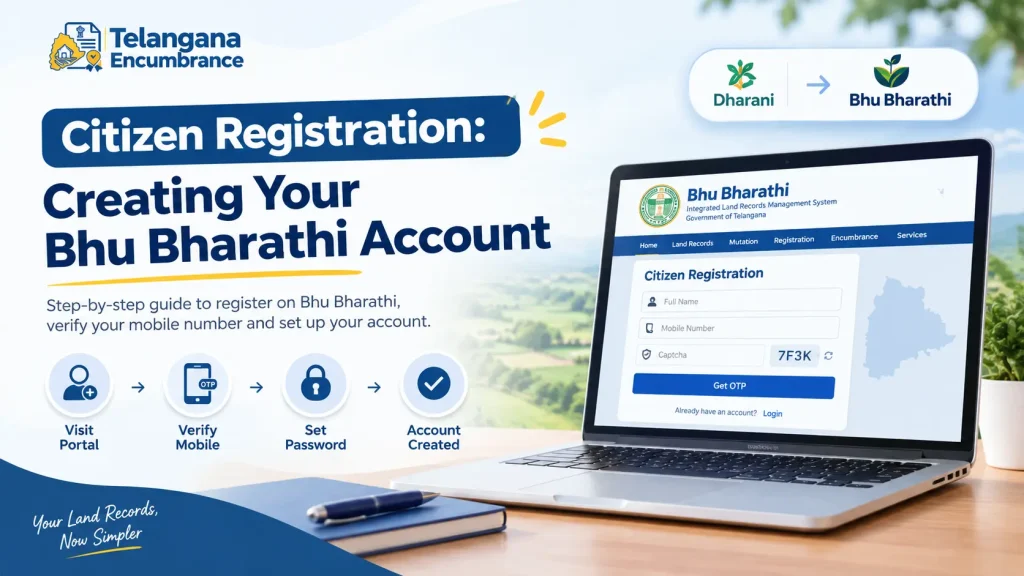
Registration is completed online and verified through your mobile number. The process is short, but one wrong entry can lock you out before you begin.
Step 1: Open the Portal and Find the Sign-Up Option
Go to the official Bhu Bharathi website at bhubharati.telangana.gov.in. On the homepage, click the Login button, then look for the option labelled Sign Up or Register it is usually a small link below the login fields, not a prominent button. Missing it is the first pitfall.
Step 2: Enter Your Name and Mobile Number
You will be asked for your name and a mobile number. Use a number you will still have access to months from now. If you are registering on behalf of an elderly parent, use their registered mobile number if possible—switching numbers later is far more difficult than getting it right now.
Step 3: Verify with OTP and Complete the Captcha
Click Get OTP. The one-time password arrives within a minute or two under normal conditions. Enter it along with the captcha code. The captcha is case-sensitive on most government portals, so type it exactly as shown. A wrong captcha sends you back to the beginning.
Step 4: Set Your Password and Fill Profile Details
Once the OTP is verified, you will set a password. Choose something you will remember without writing it down, or store it securely password reset depends on the same mobile number, so a forgotten password plus a changed number creates a dead end. Some registration flows also ask for address and email; these are optional in many cases but useful for account recovery.
Logging In: The Standard Flow
With an account in place, the bhu bharathi login takes under two minutes if the server cooperates.
Step 1: Enter Your Credentials
Type your registered mobile number and password on the login screen, then fill in the captcha.
Step 2: Request and Validate the OTP
Click the button to trigger an OTP. It arrives on your registered mobile. Enter it and submit. If the OTP field times out, request a fresh one do not try to reuse an expired code.
Step 3: Access the Citizen Dashboard
Successful validation opens your Citizen Dashboard, where land records, application status, and service links are organised. Bookmark the dashboard URL if your browser supports it; returning to the homepage each time adds unnecessary steps.
Password Reset: When You Cannot Log In
The Forgot Password link on the login page triggers a mobile OTP-based reset. Enter your registered mobile number, request the OTP, validate it, and set a new password.
This works only if you still have access to the registered mobile number. Changed your SIM? Lost the phone? The online reset will fail, and you will need to visit your local Tahsildar or Mandal Revenue Office with identity proof to update your contact details. There is no workaround for this plan for an in-person visit if your number has changed.
Common Login Errors and What Causes Them
OTP Not Arriving
Check that you entered the correct mobile number and have network coverage. OTPs can be delayed during peak hours—wait two to three minutes before requesting again. If the OTP never arrives and your number is correct, the registered number on your account may differ from the one you are using. This happens frequently when a family member registered on your behalf using their own phone.
“Invalid Credentials” Despite a Correct Password
Caps lock is the usual culprit. Government portals rarely offer a show password option, so a single capital letter in the wrong place triggers rejection. If you are certain the password is right and the error persists, reset it do not keep guessing, as some portals lock accounts after repeated failures.
“503 – Service Unavailable”
This server-side error appeared frequently on Dharani, particularly after the system was handed to the National Informatics Centre for updates. It means the portal is overloaded or under maintenance. Nothing on your end will fix it. Wait thirty minutes to an hour and try again; peak hours (late morning and early afternoon on weekdays) see the most traffic.
Website Not Loading or Timing Out
An outdated browser, weak connection, or firewall can block access. Use an updated version of Chrome, Firefox, or Edge. Avoid repeatedly refreshing a slow-loading page it worsens server load and can trigger a temporary block.
Information to Keep Ready Before You Log In
Registration and login require no document uploads, but specific services will ask for details you should have on hand.
- Aadhaar number linked to your mobile, for identity verification where required
- Pattadar Passbook details or a copy of your land record
- Survey number, Khata number, or Pattadar name, for searching land records
- Registered mobile number, for OTPs
- Email address, if you added one during registration
For mutation, land conversion, or registration applications, commonly required documents include the sale deed, death certificate (for inheritance cases), legal heir certificate, and property tax receipts. Requirements vary by service and district confirm with your local sub-registrar office before submitting.
You may also like to read these posts : 👇
How to Check Land Owner Name & Property Details in Telangana Land Record Search
తెలంగాణ భూమి రికార్డులు: సర్వే నంబర్తో భూమి వివరాలు తెలుసుకోవడం ఎలా
Telangana Revenue Department: Services, Officer Hierarchy & Contacts
Land Documents Checklist Before Buying Land in Telangana
Frequently Asked Questions
Can I use my old Dharani credentials on Bhu Bharathi?
Not necessarily. The systems are not fully synchronised during the transition. If your Dharani login fails on Bhu Bharathi, create a new account. Check the official portal for current guidance on credential migration.
My mobile number is registered on Dharani but not on Bhu Bharathi. What now?
If you cannot receive OTPs because the registered number is outdated, online login and reset will fail. Visit your local Tahsildar or revenue office with identity proof to update your contact details.
Is there a Bhu Bharathi mobile app?
Dharani had a mobile app, and Bhu Bharathi is expected to offer similar access. Check the official portal or your app store, as features are being rolled out in phases.
What does “503 – Service Unavailable” mean?
It is a server-side error, not a problem with your account. The portal is temporarily unable to handle requests. Wait and try again later.
Can I check land records without logging in?
Some basic searches, such as registered document details or land status, may be available without login. Services involving applications or personal records require an account.
Whom do I contact if login issues persist?
Your local revenue office Tahsildar or Mandal Revenue Officer is the appropriate contact for account-related problems that cannot be resolved online.
The transition from Dharani to Bhu Bharathi is still in progress, and processes may shift as the system stabilises. Before you start any time-sensitive task a registration appointment, a mutation deadline log in a day early to confirm your access works. If it doesn’t, you have time to visit the revenue office instead of scrambling on the day itself.

6 Comments
Pingback: Bhu Bharathi Application Status | Track Mutation Fast
Pingback: ROR-1B & Adangal Telangana | 1B Download Guide
Pingback: What Is a Survey Number? | Easy Guide
Pingback: Land Record Search by Name Online | State-Wise Guide
Pingback: Types of Land in Telangana | 5 Key Categories
Pingback: Telangana Market Value of Land | Buyer Guide