

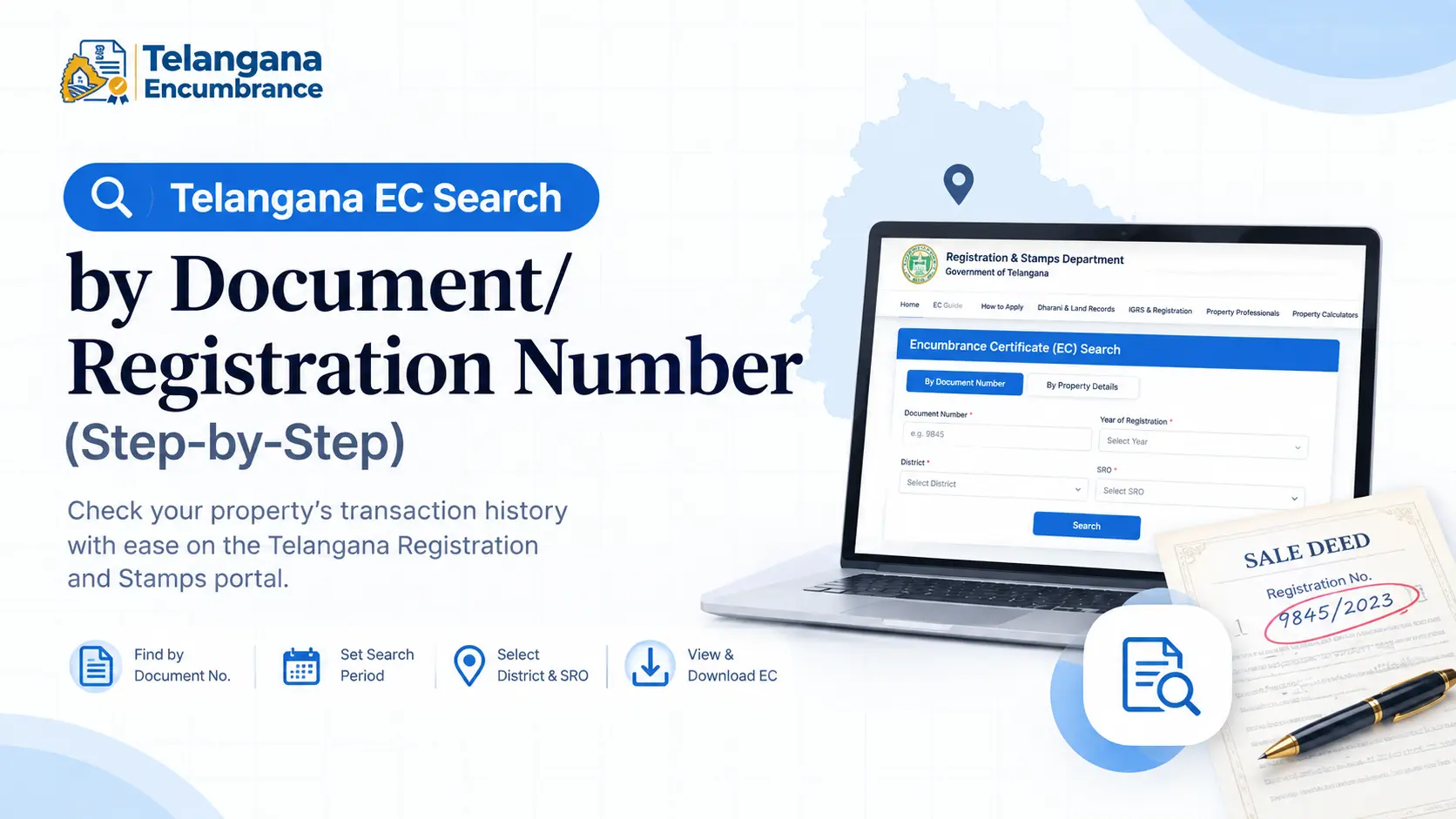
Your home loan application has stalled because the bank wants an Encumbrance Certificate, and the deed you were handed has a registration number scribbled in the margin that doesn’t seem to work on the portal.
Or perhaps a seller has sent you a photocopy of a sale deed, and you want to confirm it hasn’t been mortgaged since. Both problems point to the same solution: a Telangana EC search online by document number.
This method goes straight to the exact transaction recorded in that deed, rather than guessing at survey numbers or plot numbers that may have changed since registration.
This guide covers how the document number is structured, how to run the search step by step, and what to do when the portal stubbornly returns “no records found.”
What an Encumbrance Certificate Actually Tells You
An Encumbrance Certificate (EC) lists every transaction registered against a property during a period you choose sales, mortgages, gifts, releases, court attachments. Banks commonly ask for an EC covering the last 13 to 20 years before sanctioning a loan, while a cautious buyer tracing a long chain of title may go back 30 years.
When you search by document number, you’re pulling the EC for the specific property described in that one deed. That’s the advantage over a survey number search, which can return several properties or miss plots that were renumbered during consolidation.
Reading the Telangana Document Number Format
Telangana registration numbers follow a serial/year pattern for example, 9845/2023. The serial is assigned at the time of registration and is printed in the margin of the first or second page of the physical deed.
On the portal, the serial number and the year go into separate fields, along with the district and the Sub-Registrar Office (SRO) where the registration happened.
One pitfall trips up a lot of people: leading zeros. If your deed says 009845, try entering 9845 instead. Format tolerance varies from one SRO to another and across different registration eras.
If the number is rejected outright, don’t keep resubmitting the same entry switch to a property search using the survey number, plot number, or door number for the same SRO and period.
You may also like to read these posts : 👇
How to Search Encumbrance Certificate by Name in Telangana
Encumbrance Certificate Meaning in Telugu (EC అంటే ఏమిటి?)
Encumbrance Certificate Meaning in Hindi (EC Kya Hota Hai?)
Running the Search: Five Steps That Work
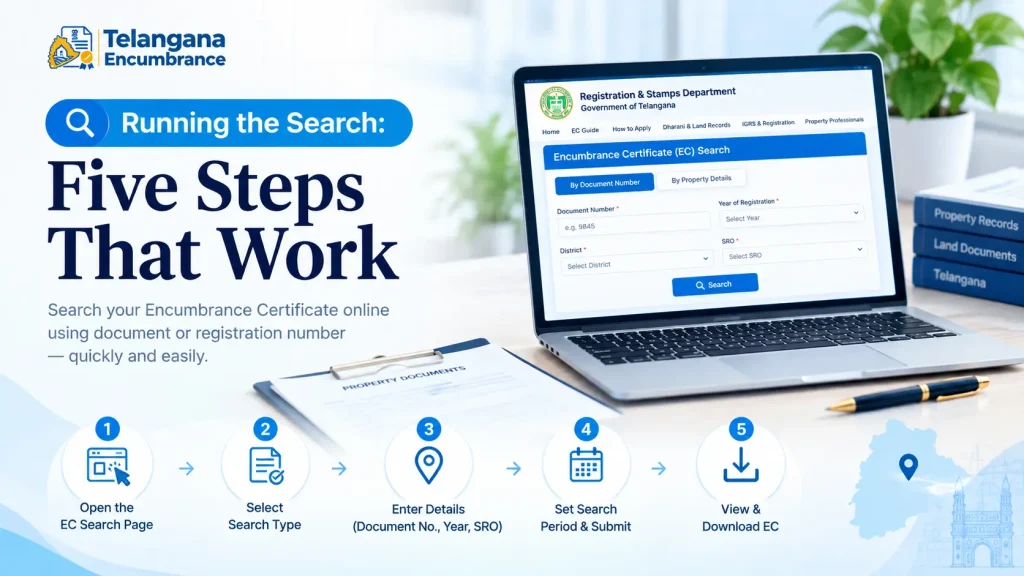
The official portal is the Telangana Registration and Stamps Department site at registration.telangana.gov.in. The entire process can be completed from home.
Step 1: Open the Encumbrance Search Page
On the department homepage, find the Encumbrance Search (EC) option under Online Services. Clicking it opens the EC search interface.
Step 2: Accept the Disclaimer and Pick Your Search Type
The portal displays a disclaimer about what the online records cover. Read it, proceed, and then select By Document Number rather than By Property Details.
Step 3: Enter the Document Number, Year, and SRO
This is where most failed searches begin. You’ll need:
- Document Number the serial from your deed, without leading zeros
- Year of Registration the year the deed was registered, not the year of the sale agreement
- District and SRO the office that registered the document. If you’re unsure, the “Know Your SRO” tool on the portal can help, or check the first page of the deed where the registering office is usually named.
Step 4: Set the Search Period and Submit
Enter the from date and to date for the EC period. This step matters more than people realise. A period that starts too late will miss older mortgages or releases. Enter the captcha and submit.
Step 5: Review and Download
The portal displays every registered transaction on the property within your chosen window. No transactions means a Nil Encumbrance Certificate (Form 16). The online view is free; a certified copy with legal validity for a bank or registration office requires a fee and a digitally signed download. Check the portal for current fee rates before you budget for it.
When the Search Returns Nothing
A “no records found” result is not proof that the property is clean. Four issues cause most failed document number searches.
Wrong SRO. The EC database is indexed by the SRO that registered the original transaction, not the property’s current location. A Hyderabad property may have been registered under an SRO whose jurisdiction has since been split. If the deed predates the 2016 district reorganisation, try the parent district and any newly carved-out districts.
Number format mismatch. Recheck the year, and try the serial with and without leading zeros.
Digitisation gaps. Online records begin from whichever year each SRO was digitised. Urban offices may have data from the 1980s; rural offices often only from the 1990s onward. Anything earlier needs a manual application at the SRO.
Too recent. A document registered in the last few days may not have synced to the portal yet. Wait a few days and retry.
If the document number search keeps failing, fall back to a property search using survey number, plot number, or door number. For agricultural land, the Bhu Bharati portal which took over agricultural land records previously handled through Dharani may also hold encumbrance details tied to the survey number and khata number.
What to Keep Ready
To avoid repeated attempts, gather these before you start:
- The registered document number and year from the sale deed, mortgage deed, or other instrument
- The SRO name and the district it falls under
- Your intended search period (from date and to date)
- Aadhaar or another valid ID, commonly required for a certified copy application
For a certified EC, you’ll typically also need the application form available on the portal and proof of payment of the applicable fee.
What an EC Cannot Do
An EC reflects only registered transactions. An oral partition, an unregistered agreement to sell, a pending court case, or a deposit of title deeds will not appear on it. A Nil EC does not certify good title it only says no registrable transaction was recorded in the period searched. Read the EC alongside the sale deed, revenue records, and municipal tax receipts, and for high-value purchases, get an independent legal title verification.
You may also like to read these posts : 👇
CERSAI Registration – Full Form, Meaning & Charges Explained
MOD (Memorandum of Deposit) Full Form & Meaning in Property Loans
Release Deed vs Relinquishment Deed Meaning, Stamp Duty & Registration
Partition Deed – Meaning, Format, Documents & Registration Process
Frequently Asked Questions
What is the document number format in Telangana?
Serial number followed by the year of registration, written as 9845/2023. The serial appears in the margins of the first or second page of the registered deed.
Can I do a registration Telangana EC search without the document number?
Yes. Search by property details instead district, mandal, village, survey number, plot number, or door number. The document number route is simply quicker when you already have the deed.
Why does my EC Telangana online search show no records when a transaction exists?
Usually one of four reasons: the wrong SRO selected, a search period that doesn’t reach the transaction year, a document number format mismatch, or digitisation gaps for older records. Try the parent and child districts if registration predates 2016, or switch to a survey number search.
Is the free online EC the same as a certified EC?
No. The free view is informational only. A certified EC is a digitally signed document issued through the SRO, valid for bank loans and registration purposes. It usually involves a fee and a download from the portal or an application at the SRO.
How many years should an EC cover?
Banks often ask for 13 to 20 years. For older properties or plots with a complicated history, 30 years gives a fuller picture of the registered chain of transactions.
Does a Nil EC mean clear title?
No. It only means no registered encumbrance appeared in the period you searched. Unregistered claims, litigation, and oral family arrangements won’t show up. Treat it as one piece of the verification, not the whole answer.
Choosing the Right Portal Before You Rely on the Result
Telangana’s land records sit across more than one system. The IGRS portal carries registered transaction records for urban and some agricultural properties. Bhu Bharati now handles agricultural land records previously under Dharani, including survey-number-based encumbrance details.
Pre-digitisation records exist only on paper at the relevant SRO. If you’re unsure which portal or office applies to your property, confirm with the local Sub-Registrar Office or use the “Know Your SRO” tool before treating any online result as final.
This article is informational only and does not constitute legal advice. Property laws and portal processes change. Verify current procedures, fees, and requirements on the official Telangana registration portal or with the relevant Sub-Registrar Office for your specific case.

4 Comments
Pingback: How to Search Encumbrance Certificate by Name in Telangana |
Pingback: Encumbrance Certificate Meaning in Telugu | Easy Guide
Pingback: Encumbrance Certificate Meaning in Hindi | EC Explained
Pingback: TS EC Download | Telangana EC Guide