

You’ve found a property in Warangal, negotiated the price, and shaken hands on the deal. Now your bank asks for one document you’ve never heard of: an Encumbrature Certificate.
Or maybe you’re selling agricultural land in Karimnagar, and the buyer’s lawyer wants a clean EC before releasing payment.
he process can feel overwhelming, especially when your property isn’t in Hyderabad where most online guides focus.
This guide walks you through exactly how to obtain an Encumbrance Certificate for properties in Telangana’s other districts Warangal, Nizamabad, Karimnagar, Khammam, and beyond.
You’ll learn when to use the IGRS portal, when to visit a Meeseva center, and what to do when online records fail you.
No legal jargon, no generic advice just practical steps based on how the system actually works.
What an Encumbrance Certificate Actually Tells You
An Encumbrance Certificate is the official record of every registered transaction tied to a specific property over a defined period.
Think of it as a property’s transaction history: every sale, mortgage, gift, or court attachment gets recorded here.
The term “encumbrance” simply means any claim or liability that could affect ownership.
A home loan mortgage, a pending court case that attaches the property, or even a registered gift deed all of these show up.
Banks won’t approve a loan without a clear EC because they need to know no other lender has a prior claim.
Buyers need it to confirm the seller actually owns what they’re selling and hasn’t already mortgaged it elsewhere.
You may also like to read these posts : 👇
Encumbrance Certificate & Registration Charges – Hyderabad
Online Methods to Obtain Your EC in Telangana
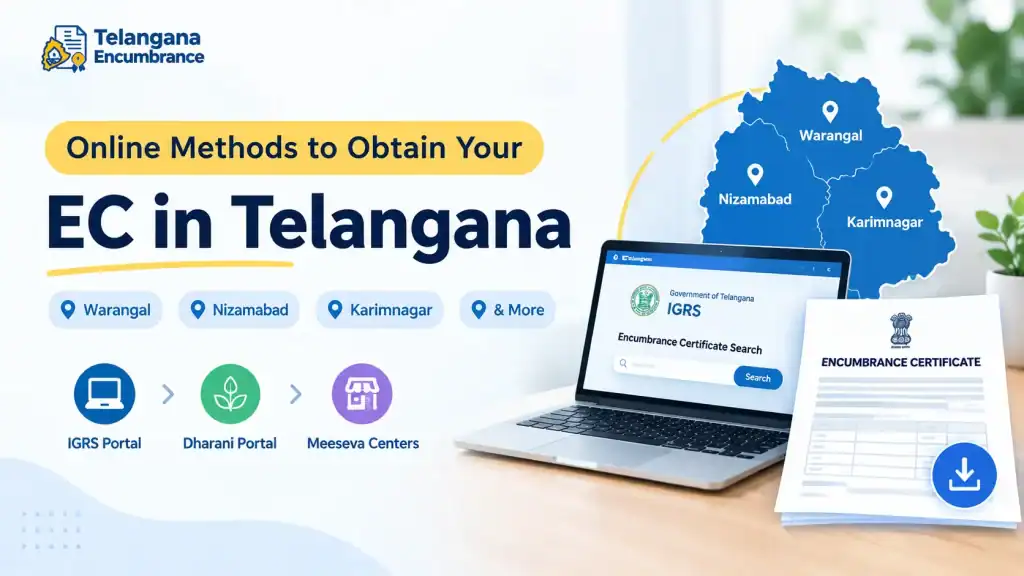
Telangana offers three main online platforms for EC searches. Each serves a slightly different purpose, and knowing which one fits your situation saves hours of frustration.
1. IGRS Portal – The Primary Source
The Registration and Stamps Department’s official website holds the most comprehensive digital records, covering properties registered from 1983 onwards across all districts.
What you’ll need before starting:
- The exact district and Sub-Registrar Office (SRO) where your property was registered
- Either the registered document number or the survey/plot number
- The period you want to search (typically 13 years for loans, but many banks ask for 30)
Step-by-step process:
Go to registration.telangana.gov.in and locate “Encumbrance Search (EC)” on the homepage.
- Select your district from the dropdown Warangal Urban, Warangal Rural, Nizamabad, Karimnagar, or whichever applies.
- This is where most people go wrong: you must select the correct Sub-Registrar Office. Each district has multiple SROs, and records aren’t shared between them.
- If you don’t know your SRO, check your sale deedit’s printed clearly at the top. Alternatively, use the “Know Your SRO” feature on the portal by entering your district, mandal, and village.
- Choose your search method. Document number works best if you have it. Otherwise, use the property details option and enter the survey number, plot number, or khata number.
- Enter the “From Year” and “To Year.” Be precise searching 2010 to 2023 won’t show transactions from 2009 even if they affect the property.
- Submit and wait. The system will display a list of all registered transactions. You can view, print, or save the EC as a PDF.
- If nothing appears, you’ll get a Nil Encumbrance Certificate (Form 16), confirming no transactions occurred during that period.
Watch out for this: The IGRS portal works well for urban properties. But if you’re dealing with agricultural land, you might find limited records here that’s where Dharani comes in.
2. Dharani Portal – For Agricultural Land
Dharani is Telangana’s dedicated land records management system, specifically for agricultural properties. If your land falls under the Dharani purview, this should be your first stop.
Process:
- Visit the official Dharani portal and look for the option “(IM4) Search EC Details.”
- You’ll be prompted to log in. New users need to sign up first have your mobile number ready for OTP verification.
- Enter the district, mandate (sub-district), village, survey number, and khata number. This combination is essential; Dharani doesn’t allow searches by document number alone.
- The system shows the encumbrance statement for the land. Records here typically go back to 2000, so older agricultural properties might require manual verification.
Important distinction: Dharani and IGRS don’t share the same database. If you can’t find your agricultural EC on IGRS, don’t assume it doesn’t exist check Dharani separately.
3. Meeseva Centers – The Offline-Online Bridge
Meeseva serves as a hybrid option you get online convenience without needing to navigate complex portals yourself.
This is particularly helpful if you’re uncomfortable with digital processes or lack internet access.
Using a Meeseva center:
- Find your nearest center. For property in Khammam, visit a Meeseva center in Khammam, Telangana. For Warangal properties, go to a Meeseva center in Warangal, Telangana. Each district has multiple centers.
- Request the Encumbrance Certificate service. The staff will help you fill out the application.
- Submit the required details district, SRO, property identifiers, and the search period.
- Pay the service fee. The center processes your application electronically and forwards it to the concerned SRO.
- You’ll receive an acknowledgement with a tracking number. The system sends SMS updates when your EC is ready. Return to collect the printed certificate or download it if provided digitally.
The Meeseva route adds a small service charge but saves you from portal navigation errors. For first-time applicants, this often proves faster than struggling with the online system alone.
Offline Method – When Online Records Fall Short
Digital records have limits. Properties registered before 1983 often aren’t digitized. Sometimes the online search returns errors even when the physical records exist. In these cases, you’ll need the offline route.
Visiting your Sub-Registrar Office:
- Identify your SRO using the “Know Your SRO” feature on the IGRS portal, or check your property documents. For Warangal, this would be the specific sub registrar in Warangal handling your area. Nizamabad and Karimnagar have their own offices with defined jurisdictions.
- Visit during working hours. Bring a government-issued ID your Aadhaar card typically works best.
- Request Form 22, the official EC application form. Fill it completely with the property details, search period, and your contact information.
- Submit the form along with supporting documents: a copy of your Aadhaar, the property’s survey number details, and any prior sale deed references you have.
- Pay the prescribed fee. The office staff will issue a receipt and give you an expected timeline typically 3-7 working days.
- Collect your EC in person when notified. Verify all details before leaving; mistakes are harder to correct after you’ve left.
Offline has one advantage: The SRO staff can physically search old register books that never made it to digital format. For older properties, this isn’t just a backup it’s the only way.
Documents You’ll Commonly Need
The exact requirements shift depending on whether you apply online or offline, but gather these before you start:
- Property identification details: Survey number, plot number, or khata number. If you don’t know these, your latest property tax receipt or sale deed shows them.
- SRO and district: Know which Sub-Registrar Office registered your property. This determines where you apply and search.
- Applicant ID: Aadhaar is widely accepted. PAN card or Voter ID works for offline applications.
- Search period: Decide the years you need. Most banks ask for 13 years, but some demand 30. For older properties, check with your lender first to avoid doing the search twice.
Online applications through IGRS or Dharani don’t typically require document uploads you’re searching existing records. Offline applications will need copies of your ID and property papers.
Common Pitfalls That Delay Your EC
Picking the wrong Sub-Registrar Office. This single mistake causes more rejected searches than anything else. Each SRO has its own document register.
Your property was registered at exactly one office, and that’s where its records live. Always verify from your sale deed don’t assume.
Searching the wrong date range. If your “From Year” is 2010, but a mortgage from 2009 affects the property, your EC won’t show it.
Banks routinely check the full period. Start from the year of original purchase or go back 30 years for older properties.
Typing survey numbers incorrectly. One digit off and the portal shows no results. Double-check every number against your property documents before hitting submit.
Assuming digital records are complete. Even today, some pre-1983 records exist only in physical registers.If your online search returns nothing,
it doesn’t automatically mean a Nil EC it might mean the record isn’t digitized. Visit the SRO for verification.
Applying for the wrong certificate type. Form 15 lists all transactions; Form 16 is a Nil EC.
Know what you need before applying. Banks usually want Form 15 even if no encumbrances exist it proves you searched.
Frequently Asked Questions
1. How many years of EC do banks typically require?
Most financial institutions ask for 13 years of encumbrance history. For properties older than that, some lenders request 30 years to ensure no old mortgages or attachments exist.
Check with your specific bank before applying to avoid doing the search twice.
2. What’s the difference between Form 15 and Form 16?
Form 15 is the standard Encumbrance Certificate listing all registered transactions during the search period. Form 16 is a Nil Encumbrance Certificate,
which confirms no transactions whatsoever occurred on that property during the specified time. You typically need Form 15 for loan applications.
3. Can I get an EC for agricultural land online?
Yes, through the Dharani portal for lands registered after 2000.For older agricultural properties,
online records may not be complete visit the concerned revenue or sub-registrar office for manual verification.
4. My online EC shows a transaction I don’t recognize. What now?
Contact the Sub-Registrar Office where that transaction was registered immediately. They can provide the original document details.
If the entry appears fraudulent or erroneous, you may need legal assistance to have it corrected or removed.
5. Are EC fees the same across all districts?
The government service fee is standardized, but the total cost varies slightly between online, Meeseva, and offline applications due to service charges.
Check the official IGRS portal or your nearest Meeseva center for current rates before applying.
6. How do I locate the correct Sub-Registrar for my area?
Use the “Know Your SRO” service on the official IGRS Telangana website. Enter your district, mandal, and village, and the system shows the correct SRO.
Alternatively, check your existing property documents where the SRO is clearly mentioned.
A Final Word on Timing
Start your EC application before you finalize any property deal not after. Banks won’t process loans without it, and lawyers won’t clear titles.
The online process takes minutes if everything works smoothly, but if records are missing or errors appear, expect 3-7 working days for manual verification.
If your property is older or agricultural, give yourself extra time. And if the records genuinely aren’t digitized, the SRO staff can help but they’ll need time to search physical registers.
Plan for two weeks if you’re dealing with pre-1983 property or complex transaction histories. A little patience upfront saves far more stress than rushing a deal without a clear title.

1 Comment
Pingback: Encumbrance Certificate & Registration Charges - Hyderabad