


IGRS Telangana (Integrated Grievance Redressal System) is the Telangana Registration and Stamps Department’s online portal for property registration, Encumbrance Certificate (EC) search, stamp duty payment, registration fees, and market value checks.
This guide covers every major service step-by-step: EC search, property registration, document and deed details, stamp duty calculation, registration charges, and market value lookup.
Jump to: EC Search · Registration Process · Stamp Duty & Fees · Market Value
Independent guide — not government-affiliated: TelanganaEncumbrance.com is an independent information resource and is not run by or affiliated with the Government of Telangana. Information last verified on [26 Sep 2026] against the official portal at registration.telangana.gov.in.
IGRS Telangana Official Website
The official IGRS Telangana website is registration.telangana.gov.in. Use the official government website when checking property registration details, EC records, stamp duty and other registration services. Avoid entering personal or payment information on unofficial websites.
Visit Official IGRS Telangana Website
IGRS Telangana Full Form
IGRS Telangana stands for Integrated Grievance Redressal System, the online portal of the Telangana Registration and Stamps Department. The department itself is headed by the Inspector General of Registration and Stamps (IGR). Through registration.telangana.gov.in, citizens handle property registration, EC search, stamp duty and market value checks.
What is IGRS Telangana and What Does It Do?
IGRS Telangana is the online registration and property-services platform operated by the Telangana Registration and Stamps Department. It provides access to services such as property registration, Encumbrance Certificate search, stamp duty and registration-related information.
The portal handles six core functions:
- Property Registration: Booking appointment slots and submitting documents for registration.
- Stamp Duty & Fee Payment: Generating e-challans and paying stamp duty online.
- Encumbrance Certificate (EC): Searching and downloading property encumbrance records.
- Market Value Verification: Market Value Verification: Checking the government guideline value for any property. See how to check market value on IGRS.
- Certified Copies: Applying for official copies of registered documents.
- Marriage & Society Registration: Processing non-property registrations as well.
For a property buyer, the igrs telangana platform is usually the first and last stop in the registration journey. It tells you whether a property has any outstanding loans attached to it, what the official valuation is, and whether the deed you are about to sign is legally recorded.
You may also like to read these posts : 👇
Telangana Registration Charges: What You Actually Pay When Buying Property
Sub-Registrar Office (SRO) Telangana – List & Contact
Telangana Prohibited Property List – How to Check Online
How to Check Property Registration Details on IGRS Telangana Online
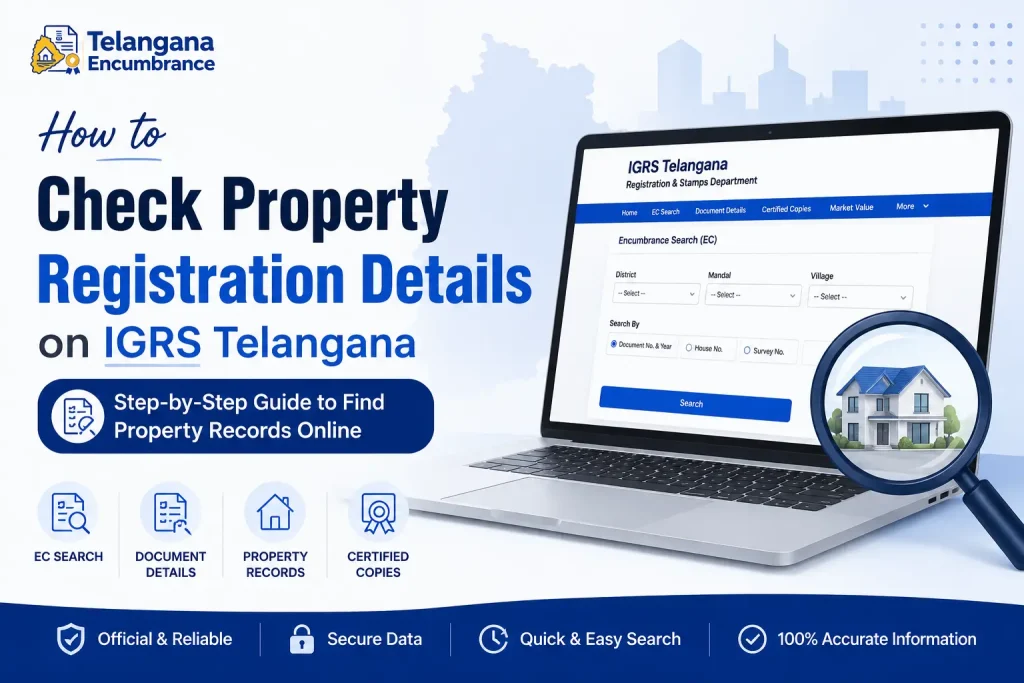
Before you hand over any money, you should verify that the property you are buying has a clean registration history. The tsigrs portal lets you do this without visiting a government office.
Here is the process:
- Open the official IGRS Telangana website at
registration.telangana.gov.in. Avoid lookalike domains that mimic the government portal. - On the homepage, locate the “Online Services” menu and select “Encumbrance Search (EC)” or “Document Details.”
- Read the disclaimer that appears—it clarifies the limits of the online search—then click “Submit” to proceed.
- Choose your search criterion:
- Document Number & Year: Use this if you have the registered document number from a previous transaction.
- House Number: For properties in municipal areas with a clear house number.
- Survey Number: For agricultural land or properties in revenue villages.
- Enter the district, mandal, and village details. Then set the search period banks typically ask for a 12‑ to 30‑year history, so choose dates that cover that range.
- Submit the form. The system will display all registered transactions linked to that property during the period you selected. You will see the igrs telangana deed details names of parties involved, consideration amount, document type, and registration date.
Watch out for this: If a property shows no encumbrances but the search period is too narrow, you might miss older loans. Always search for the longest period the portal allows typically from 1983 onward to get a complete picture.
If your property is in Hyderabad, also read our guide to the Encumbrance Certificate in Hyderabad.
Understanding Stamp Duty and Registration Charges in Telangana
Stamp duty and registration fees are often the second-largest cost in a property deal, after the purchase price itself. The telangana stamps and registration department calculates these charges based on the property’s market value, not necessarily the price you and the seller agree on. If the agreement value is lower than the government’s guideline value, the department applies charges on the higher amount.
The charges generally break down into three components:
| Charge Type | Approximate Rate | How It Is Applied |
|---|---|---|
| Stamp Duty | ~4% | Calculated on the market value or agreement value, whichever is higher. |
| Registration Fee | ~0.5% | Calculated on the same base value as stamp duty. |
| Transfer Duty | ~1.5% | An additional charge collected on property transfers. |
These percentages are revised from time to time, so check the current notification on registration.telangana.gov.in before finalising your budget. For a full breakdown, read our guide to Telangana stamp duty and e-stamp rates and Telangana registration charges.
To pay these charges, log in to the portal, generate an e‑challan, and pay online. The system issues a receipt that you will need to carry to the sub‑registrar’s office on the day of registration. Keep a digital and physical copy of this receipt—it is proof that you have cleared the government’s dues.
How to Obtain an Encumbrance Certificate (EC) Online
An Encumbrance Certificate is the single most important document for any property buyer.It certifies that the property has no outstanding legal or financial liabilities no mortgages, no court attachments, no unresolved disputes. Banks will not process a home loan without a recent EC, and title insurers often refuse coverage without one.
The igrs telangana ec service makes getting this certificate straightforward:
- Go to the IGRS Telangana website and click on “Encumbrance Search (EC)” under Online Services.
- Accept the disclaimer this step is mandatory and cannot be skipped.
- Select the search type. If you are searching by document number, enter the number and year. If searching by house number or survey number, enter those details instead.
- Fill in the district, mandal, and village fields. Then specify the date range. Banks commonly ask for an EC covering the last 12–13 years, while some lawyers recommend 30 years for a thorough check.
- Click “Search.” The portal will show you a list of all registered documents related to that property within the chosen period.
- You can view the EC on screen and download it as a PDF. For most purposes loan applications, legal due diligence, or personal records this download is sufficient.
A common oversight: The online EC only covers transactions registered after 1st January 1983. If your property changed hands before that date, you will not find those records on the portal. In that case, visit the Sub-Registrar Office (SRO) that has jurisdiction over the property and request a manual EC. The SRO staff will search physical records and issue a certificate that covers the older period.
How to Register Property on IGRS Telangana
To register property on IGRS Telangana, generate the e-challan and pay stamp duty at registration.telangana.gov.in, book a slot for your Sub-Registrar Office, then visit the SRO on the appointment date with buyer, seller and two witnesses. After biometrics and document verification, the sub-registrar registers the deed.
- Keep your documents ready (see the list below) and check the market value of the property.
- Generate the e-challan and pay stamp duty and registration fee online.
- Book an appointment slot for your Sub-Registrar Office.
- Visit the SRO on the appointment date with buyer, seller and two witnesses.
- Complete biometrics and document verification; the sub-registrar registers the deed.
- Collect the registered document after processing.
Pre-Registration on IGRS Telangana
Pre-registration means entering the party, property and payment details on the portal and booking a slot before you visit the Sub-Registrar Office. Your SRO visit then focuses on verification and biometrics. Screens change from time to time, so follow the on-screen options on registration.telangana.gov.in.
Documents Required for Property Registration
The stamps registration telangana department asks for a specific set of documents at the time of registration. Having these ready in advance can save you from last-minute scrambling.
Here is what you will typically need:
For the Seller:
- Identity proof: Aadhaar card, Voter ID, or PAN card.
- Address proof: Utility bills or bank statements with the current address.
- Recent passport-size photographs.
- Original title deed or the previous sale deed—the document that established the seller’s ownership.
- Encumbrance certificate covering the period the seller owned the property.
- If the property is part of a housing society, a No Objection Certificate (NOC) from the society.
For the Buyer:
- Identity proof and address proof (same as seller requirements).
- PAN card—this is mandatory if the transaction value exceeds a specified threshold.
- Passport-size photographs.
Additional Documents for Agricultural Land:
- For agricultural land records, see our Dharani and land records guides.
- Pattadar passbook and title deed, obtainable from the Dharani portal.
- Adangal and Pahani (Record of Rights) documents, which show cultivation details and ownership history.
A practical tip: Take photocopies of every document before you go to the SRO. The office keeps the originals for verification and returns them after the registration is complete. Having duplicates ensures you do not lose track of your papers.
Before you buy, also check whether the property appears on the prohibited property list.
IGRS Telangana vs. Dharani Portal: Which One to Use?
Many property owners confuse the IGRS Telangana portal with the Dharani portal. Both deal with land records, but their roles are different, and using the wrong one can lead to delays.
| Portal | Primary Function | Best Used For |
|---|---|---|
| IGRS Telangana | Property registration, stamp duty payment, and encumbrance certificates. | Urban properties, residential flats, commercial buildings, and any non-agricultural land. |
| Dharani Portal | Agricultural land records, ownership details, and crop information. | Farmland, agricultural plots, and rural revenue land. |
If you are buying a flat in Hyderabad, For plots and houses that are not agricultural land, read our guide to non-agricultural property registration in Telangana. you will use the ts stamps and registration portal for the entire transaction. If you are purchasing agricultural land in a district like Nalgonda or Warangal, you will need to check records on Dharani for ownership verification and then use IGRS for the actual registration and stamp duty payment.
You may also like to read these posts : 👇
Telangana Market Value of Land – How to Check on IGRS
Telangana Stamp Duty & E-Stamp – Complete Guide
Non-Agricultural Property Registration Telangana: A Complete Guide
Frequently Asked Questions (FAQs)
1. What is the official IGRS Telangana website?
The main portal for IGRS Telangana services is registration.telangana.gov.in. Many people also search for addresses like igrs.telangana.gov.in, so only enter personal or payment details on a .gov.in page you reached from the official department website.
2. Can I check EC details for any property using IGRS Telangana?
Yes, as long as the property has a registered document linked to it. You can search by survey number, house number, or document number. The portal covers transactions registered from 1983 onwards.
3. Is there a fee for searching an Encumbrance Certificate online?
Fees for EC search and certified copies are set by the department and can change. Check the current fee on registration.telangana.gov.in before you start the search.
4. How long does it take to get a certified copy of a document from IGRS Telangana?
The online details are available immediately. A certified physical copy stamped and signed by the sub-registrar—generally takes about 5 to 7 working days. The processing time can vary depending on the workload at your local SRO.
5. What should I do if my property details are not found on the IGRS portal?
If the portal returns no results, first check that you have entered the correct district, mandal, and village. If those are accurate but the record is still missing, the transaction may predate 1983, or there may have been a data entry error at the time of registration. Visit the jurisdictional Sub-Registrar Office with your property documents to get the issue resolved.
6. What is the full form of IGRS Telangana?
IGRS Telangana is commonly expanded as Integrated Grievance Redressal System, the online portal of the Telangana Registration and Stamps Department. The department’s head is the Inspector General of Registration and Stamps (IGR). The portal is used for property registration, EC search, stamp duty and market value.
7. What is pre-registration on IGRS Telangana?
Pre-registration means entering party, property and payment details on the portal and booking a slot before you visit the Sub-Registrar Office. Your visit then focuses on verification and biometrics. Confirm current steps on the portal, as screens change.
8. How do I check deed details on IGRS Telangana?
Open registration.telangana.gov.in, go to Online Services, choose Document Details or Encumbrance Search, accept the disclaimer and enter the document number, year and SRO details. The result shows party names, consideration amount, document type and registration date.
9. How do I check application status on IGRS Telangana?
Use the document number and year on the portal’s status option. If it stays pending beyond the usual processing time, contact the jurisdictional Sub-Registrar Office to check for document or property-description mismatches.
10. How do I find the IGRS office or SRO near me in Hyderabad?
IGRS services are delivered through Sub-Registrar Offices (SROs) covering each district and mandal. Find yours by property location using our Sub-Registrar Office (SRO) Telangana list and contact details.
IGRS Telangana Application Status and Follow-Up
Registration is not a one‑day task. The appointment slot you book on the IGRS portal is just the beginning. After you sign the deed and pay the charges, the sub‑registrar’s office takes a few days to process the document and issue the final registered copy. During this window, track your application status on the portal using the document number.
If the status shows “pending” beyond the expected timeframe, do not wait call or visit the SRO to check. Small delays are common, but prolonged holds often indicate a discrepancy in the documents or a mismatch in the property description. Catching these early gives you time to correct them without derailing the entire transaction.
By using the IGRS Telangana portal properly checking records before you pay, understanding the charges, and following up after registration you protect yourself against the most common property pitfalls. The system is designed to be transparent; your job is to use it thoroughly.
💳 Useful Financial Tool
Applying for property registration often involves big payments. The Tata Neu Credit Card lets you earn NeuCoins on everyday spending. Check eligibility: Tata Neu Credit Card or SBI Credit Card
🏠 Property mein lakhs lagaye hain? Itna bara investment secure karna bhi zaroori hai. Family ke future ke liye term insurance options dekhein: MaxLife Insurance (affiliate link — free for you, supports this site).

9 Comments
Pingback: Telangana Registration Charges | Complete Cost Guide
Pingback: Sub-Registrar Office (SRO) Telangana - List & Contact | Complete Guide
Pingback: Telangana Market Value of Land | Check IGRS Rates Online
Pingback: Telangana Stamp Duty & E-Stamp | 2026 Rates & Guide
Pingback: Non-Agricultural Property Registration Telangana | Step-by-Step Guide
Pingback: Legal Opinion for Property – Karnataka Guide | Verify Title
Pingback: IGRS Full Form & Meaning | Simple Guide
Pingback: IGRS Telangana Full Form and Meaning Explained
Pingback: IGRS Telangana Guide – Registration & Search